
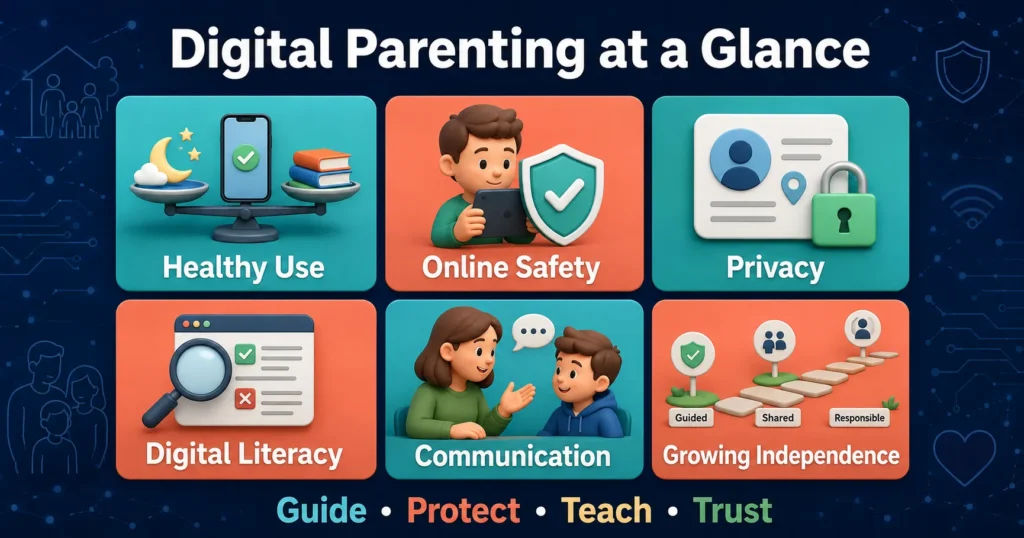
Digital parenting means helping children use phones, tablets, computers, games, social media and artificial intelligence safely, responsibly and in a healthy balance with everyday life.
It includes more than limiting screen time or installing parental-control software. Digital parenting also involves communication, online safety, privacy, media literacy, age-appropriate boundaries and teaching children how to make responsible decisions when adults are not watching.
Technology is now part of education, entertainment, communication and family life. Completely removing it may not be realistic or helpful for many families. At the same time, giving children unrestricted access can expose them to inappropriate content, privacy risks, cyberbullying, scams and unhealthy digital habits.
Effective digital parenting aims to find a sensible middle path. Parents guide children, establish boundaries and gradually help them develop the skills needed to manage technology independently.
This guide explains what digital parenting is, why it matters and how families can create safer and healthier digital habits without making technology a constant source of conflict.
What Is Digital Parenting?
Digital parenting is the practice of supporting and supervising children as they use digital technology.
It includes decisions about:
- When a child can begin using a device
- Which websites, applications and games are appropriate
- How much personal information can be shared
- When and where screens may be used
- How children should communicate with other people online
- How parents respond when something goes wrong
- How children can use AI and online information responsibly
- When children are ready for greater digital independence
Digital parenting begins before a child receives a personal phone. A young child may already watch videos, play games, attend online lessons, speak to relatives through video calls or see adults using devices.
Parents therefore start teaching digital habits through both their rules and their own behaviour.
Why Is Digital Parenting Important?
Children can gain many benefits from technology. They can access educational resources, practise new skills, communicate with relatives, explore creative interests and participate in online communities.
However, the digital environment was not always designed around children’s needs. Some platforms encourage users to continue scrolling, collect personal data or expose children to content and contact that may not be appropriate for their age.
Digital parenting matters because children do not automatically understand these risks simply because they know how to operate a device.
A child may be able to install an application but not understand its privacy policy. A teenager may recognize an advertisement but still be influenced by hidden sponsorship. A student may know how to ask an AI chatbot a question without realizing that its answer could be incorrect.
Parents can help children develop judgment alongside technical ability.
Digital Parenting Is More Than Screen Time
Screen time is one part of digital parenting, but it is not the entire subject.
Two children could each spend an hour using a tablet but have very different experiences. One might video-call a grandparent or complete an educational activity with a parent. The other might watch unsuitable videos alone or communicate with an unknown person.
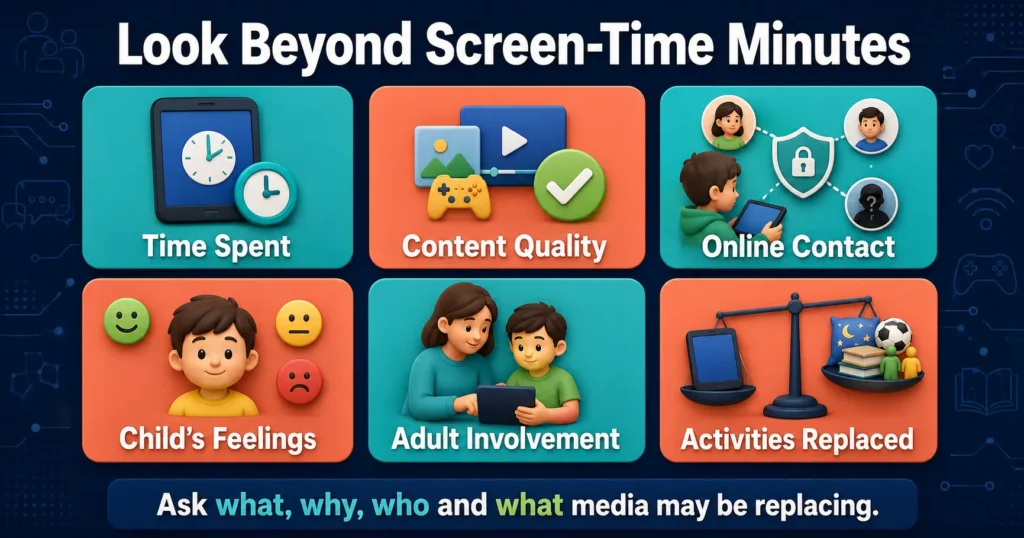
The number of minutes matters, particularly when device use replaces sleep, movement, learning or family interaction. However, parents should also consider:
- What the child is doing
- Whether the content is age-appropriate
- Who the child is communicating with
- How the activity makes the child feel
- Whether an adult is involved
- What important activities are being replaced
- Whether the platform respects children’s privacy
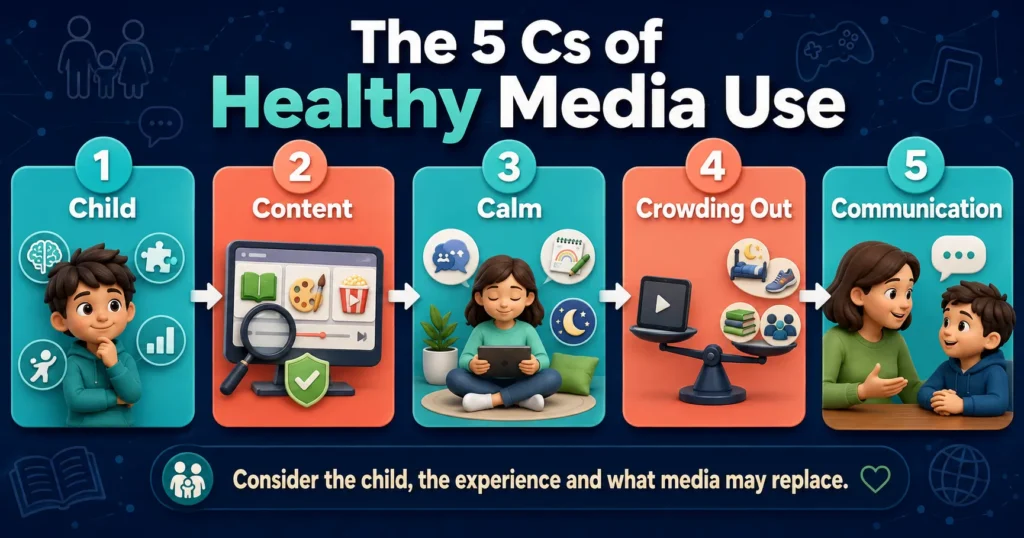
The American Academy of Pediatrics now encourages families to consider the 5 Cs of media use: Child, Content, Calm, Crowding Out and Communication. This framework moves the discussion beyond a single universal time limit and considers the individual child and the quality of the experience. American Academy of Pediatrics
The Five Main Parts of Digital Parenting
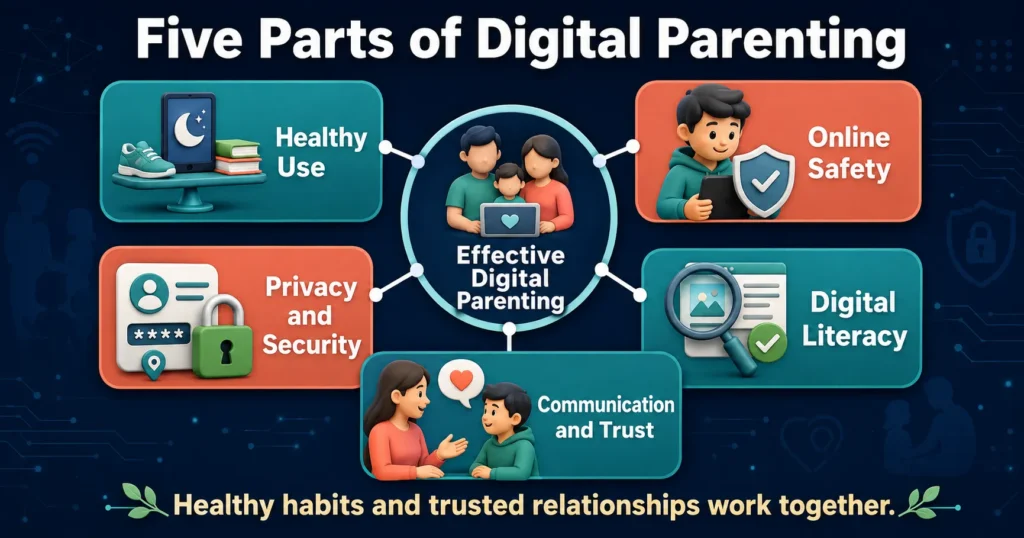
A useful digital parenting approach includes five connected areas.
1. Healthy use
Healthy use means making sure technology does not regularly replace sleep, physical activity, school responsibilities, face-to-face relationships or offline play.
It also means recognizing that not all digital activities are equal. Creating artwork, researching a school project and talking to relatives are different from endlessly scrolling through short videos.
2. Online safety
Children need protection from inappropriate material, unwanted contact, scams, cyberbullying and other harmful experiences.
Safety tools can help, but no setting can identify every risk. Children also need age-appropriate conversations about what to do when something feels uncomfortable, confusing or frightening.
3. Privacy and security
Digital parenting includes teaching children to protect personal information such as their full name, location, school, passwords, photographs and daily routine.
Parents must also consider how much information they share about their children online. A child’s privacy can be affected by both the child’s activity and the adults posting about them.
4. Digital literacy
Digital literacy is the ability to understand and evaluate digital information.
Children should gradually learn how to recognize advertisements, question online claims, identify unreliable sources, understand that images can be edited and realize that popularity does not prove accuracy.
5. Communication and trust
Children are more likely to seek help when they believe an adult will listen calmly.
If every mistake leads to anger or the immediate removal of all technology, a child may begin hiding online problems. Clear consequences can still be necessary, but safety should remain the first priority.
The 5 Cs of Healthy Media Use
The American Academy of Pediatrics’ 5 Cs framework gives parents a practical way to evaluate a child’s technology use.
| The 5 Cs | What parents should consider |
|---|---|
| Child | The child’s age, development, personality and needs |
| Content | What the child watches, plays, creates or reads |
| Calm | Whether technology has become the main way to manage emotions |
| Crowding Out | Whether media is replacing sleep, exercise, study or relationships |
| Communication | Whether the family talks openly about digital experiences |
Child
Every child responds differently to digital media. Age is important, but so are maturity, emotional needs, learning differences and the ability to follow rules.
A digital routine that works for one child may not work for another child of the same age.
Content
Parents should examine the quality and purpose of content instead of considering all screen use identical.
Ask whether the content is educational, creative, social, violent, frightening, misleading or designed mainly to keep children engaged. Ratings and reviews can help, but parents should occasionally watch or play alongside younger children.
Calm
Devices can help children relax, but they should not become the only way a child handles boredom, disappointment, anger or sadness.
Children also need other calming skills, such as talking to someone, playing, drawing, moving, reading or resting.
Crowding Out
Consider what the device is replacing. If media regularly interferes with sleep, meals, schoolwork, movement or family relationships, the routine may need adjustment.
The aim is not to remove every enjoyable digital activity. It is to protect the activities children need for healthy development.
Communication
Conversations about technology should happen regularly, not only after a problem occurs.
Ask children what they enjoy online, what they dislike, who they interact with and whether they have seen anything confusing. Curious questions usually create better discussions than immediate accusations.
How to Practise Digital Parenting at Home
Good digital parenting does not require parents to become technology experts. Consistent family habits are often more useful than complicated restrictions.
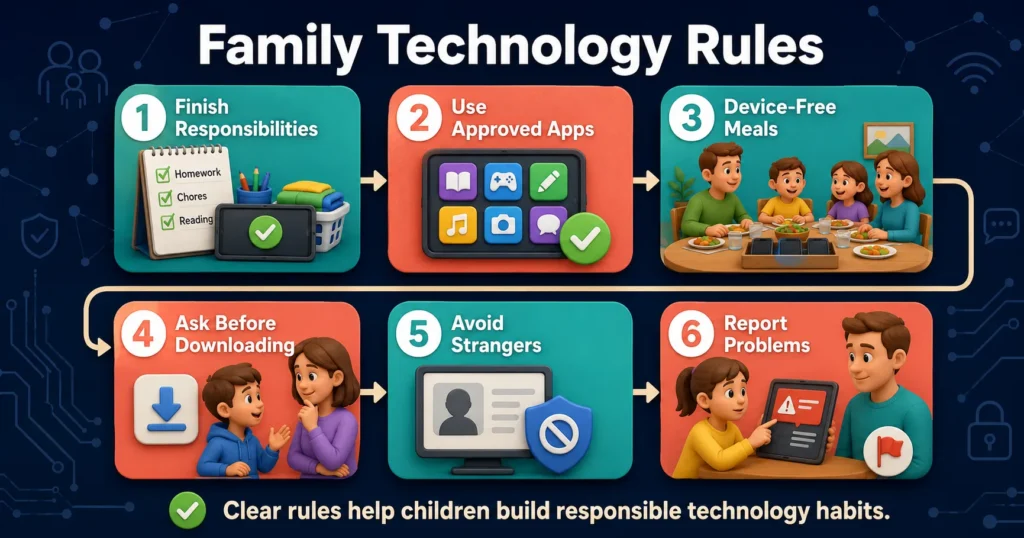
1. Create Clear Family Technology Rules
Children need to know when, where and how devices may be used.
Possible rules include:
- Complete necessary schoolwork before entertainment
- Keep devices away from family meals
- Charge phones outside bedrooms at night
- Ask before downloading a new application
- Do not communicate privately with unknown people
- Tell a trusted adult about upsetting online experiences
- Never share passwords except with a parent or guardian when appropriate
- Request permission before posting another person’s photo
Rules should match the child’s age and become more flexible as the child demonstrates responsibility.
Whenever possible, explain why a rule exists. Children are more likely to develop independent judgment when they understand the purpose behind a boundary.
2. Develop a Family Media Plan
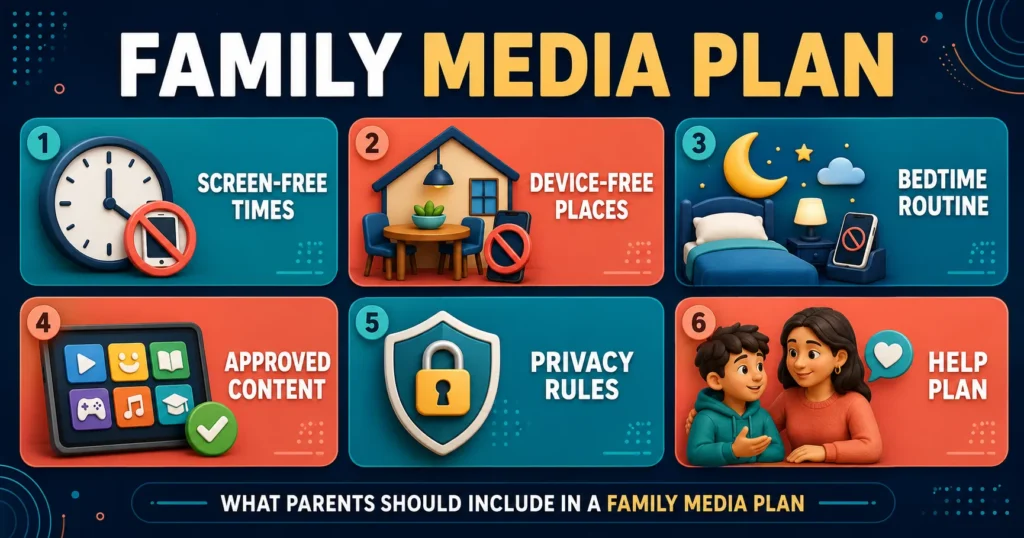
A family media plan is a written or discussed agreement explaining how technology fits into family life.
The plan can cover:
- Device-free locations
- Screen-free times
- Homework expectations
- Bedtime routines
- Approved applications and games
- Privacy rules
- Online purchases
- Communication with strangers
- Consequences for breaking rules
- What to do when a child needs help
The American Academy of Pediatrics recommends creating rules that reflect each family’s routines and values. Its guidance suggests screen-free zones, limiting background media, turning off unnecessary notifications and discussing the plan with children. HealthyChildren.org Family Media Plan
A plan should be reviewed as children mature, technology changes or a new device enters the home.
3. Use Parental Controls Wisely
Parental controls can restrict downloads, purchases, communication, websites or particular types of content. They may also provide activity reports or daily limits.
These tools are especially useful for younger children, but they are not a complete solution. Filters can miss harmful material, and older children may find ways around restrictions.
Use parental controls together with:
- Regular conversation
- Private accounts
- Strong passwords
- Multi-factor authentication
- Updated software
- Age-appropriate settings
- Periodic account reviews
As children get older, explain which controls are active and why. Secret monitoring can damage trust unless there is a serious and specific safety reason.
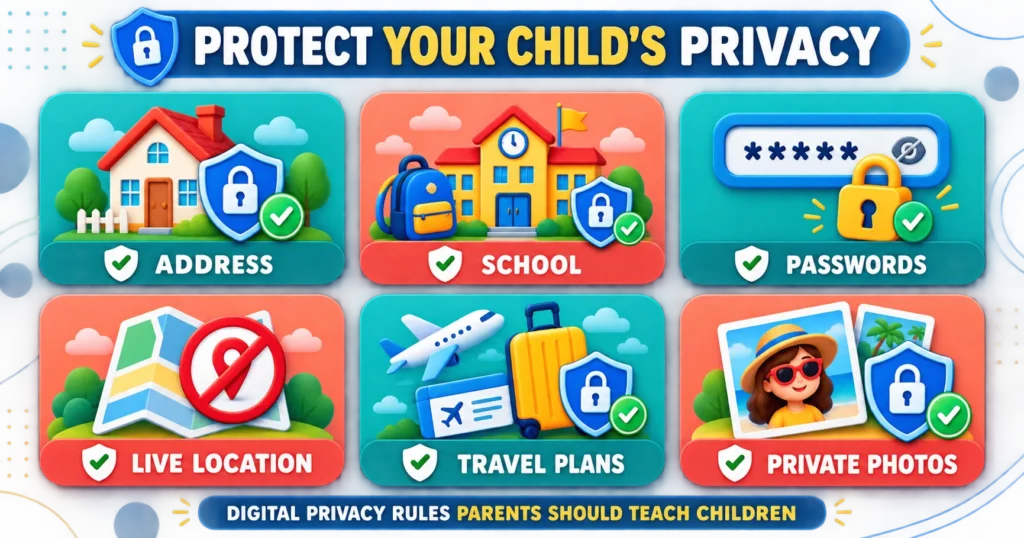
4. Protect Your Child’s Privacy
Children may not understand how long online information can remain available or how widely it can spread.
Teach them not to share:
- Their home address
- School location
- Phone number
- Passwords
- Live location
- Travel plans
- Financial information
- Private family details
- Images that make them uncomfortable
Review privacy settings together and limit unnecessary data collection. UNICEF recommends checking devices, setting parental controls, using strong passwords and helping children develop privacy awareness. UNICEF Online Privacy Checklist
Parents should also think carefully before posting children’s photographs, school information, medical details or embarrassing stories. This practice is sometimes called sharenting. Asking an older child’s permission before posting helps teach consent and respect for privacy.
5. Explore Technology Together
Co-use means participating in digital activities with a child.
You might:
- Watch a programme together
- Play a game together
- Ask the child to explain a favourite application
- Research a question together
- Discuss an advertisement
- Create digital art or a video
- Compare information from different websites
Co-use gives parents a clearer understanding of a child’s digital environment. It also creates natural opportunities to discuss advertising, misinformation, respectful behaviour and privacy.
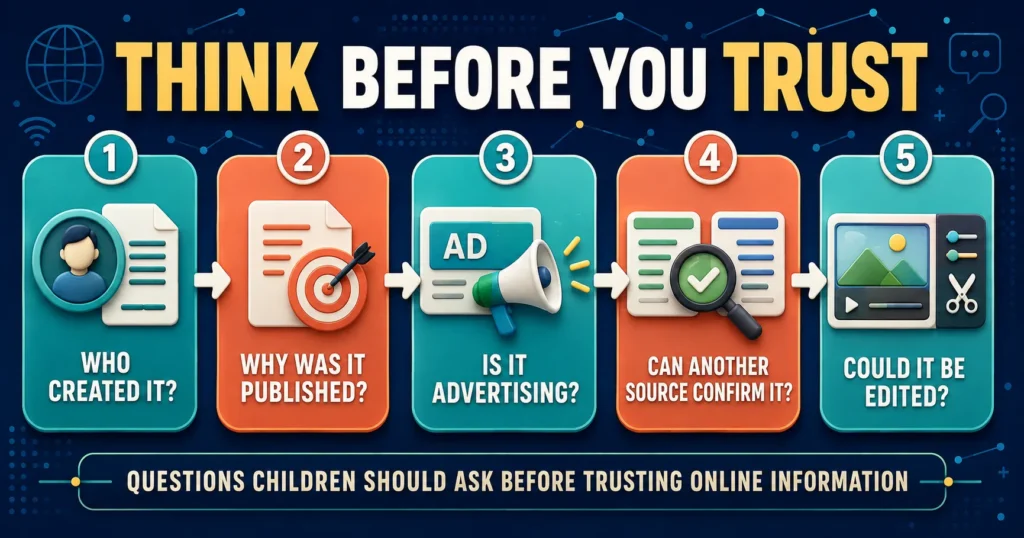
6. Teach Children to Question Online Information
Children can encounter false claims, edited images, hidden advertising and AI-generated content.
Teach them to pause and ask:
- Who created this?
- Why was it published?
- Is it an advertisement?
- Does another reliable source confirm it?
- Is the headline trying to create fear or anger?
- Could the image or video have been edited?
- Is an AI-generated answer supported by evidence?
Older children can learn to check publication dates, author credentials and original sources.
Media literacy is not only about identifying completely false information. It also helps children notice when accurate information is missing context or when content is designed to influence a purchase.
7. Model the Habits You Expect
Children notice how adults use technology.
A rule that phones are not allowed during meals becomes difficult to respect if adults repeatedly check notifications at the table. Parents do not need to demonstrate perfect behaviour, but they should acknowledge their own habits.
Helpful examples include:
- Putting the phone down during conversations
- Asking before taking or sharing someone’s photograph
- Avoiding phone use while driving
- Checking sources before sharing information
- Taking breaks from work-related screens
- Admitting when an online claim was misleading
- Keeping private family matters off public platforms
Healthy digital habits are easier to teach when they are family habits rather than rules imposed only on children.
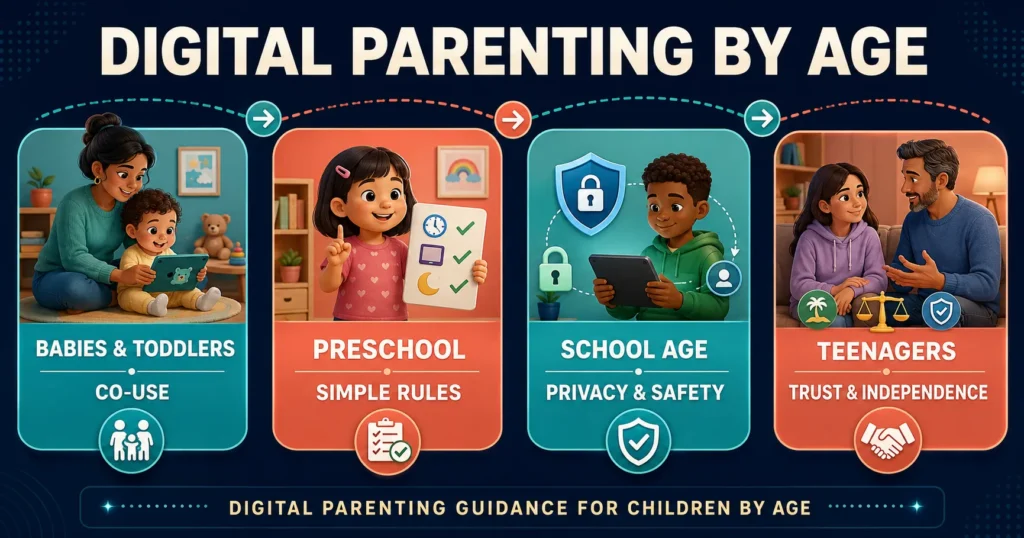
Digital Parenting by Age
Children need different types of guidance as they develop.
Babies and toddlers
Young children learn most effectively through interaction with people and the physical world. When screens are used, a parent can participate, describe what is happening and connect the content to real life.
Protect sleep, active play and face-to-face communication. Avoid leaving very young children alone with unrestricted video platforms.
The World Health Organization’s guidance for children under five considers screen-based sedentary time alongside physical activity and sleep. Parents who need individual advice should consult a qualified paediatric professional familiar with the child’s development. World Health Organization
Preschool children
Choose simple, age-appropriate content and remain nearby. Teach basic ideas such as asking permission before opening a new application and not clicking unexpected pop-ups.
Consistent routines are particularly helpful at this age because stopping a preferred activity can be difficult for young children.
School-age children
Children may begin using technology for homework, games and communication with friends.
Teach password safety, respectful communication, advertising awareness and what information should remain private. Check age ratings and communication features before approving multiplayer games.
Teenagers
Teenagers need increasing privacy and independence, but they still benefit from guidance.
Discuss social media, relationships, location sharing, digital reputation, scams and AI-generated content. Focus on collaborative rules and regular conversations rather than relying only on surveillance.
Make it clear that they can seek help if they experience harassment, threats, pressure or an embarrassing mistake.
How Should Parents Manage Screen Time?
There is no single screen-time number that suits every age, child and activity.
Parents should consider whether technology is interfering with:
- Sleep
- Physical activity
- Schoolwork
- Meals
- In-person relationships
- Responsibilities
- Emotional well-being
- Other enjoyable activities
It may be time to adjust the routine if a child regularly loses sleep, avoids normal responsibilities, becomes unable to stop without severe conflict or withdraws from previously enjoyed offline activities.
For teenagers, UNICEF advises beginning with curiosity and examining what screen use is replacing. A teenager using technology for learning and communication may need a different approach from one whose use consistently disrupts sleep or responsibilities. UNICEF Screen-Time Guidance
Parents concerned about significant changes in sleep, mood, behaviour or daily functioning should seek individualized advice from a qualified healthcare professional.
How Can Parents Keep Children Safe Online?
Online-safety conversations should begin early and continue as children gain access to new platforms. For detailed steps on privacy, parental controls, cyberbullying and safe online habits, read our How to Keep Children Safe Online: A Practical Parent Guide
Teach children to:
- Keep accounts private where appropriate
- Decline requests from unknown people
- Avoid moving conversations to secret channels
- Never share passwords or verification codes
- Leave conversations that feel uncomfortable
- Save evidence of bullying or threatening messages
- Block and report harmful accounts
- Tell a trusted adult when something goes wrong
Reassure children that online abuse or harassment is not their fault. Their immediate safety matters more than whether they broke a household rule before the incident occurred.
UNICEF recommends clear rules, secure privacy settings, time spent together online and adults modelling healthy behaviour. UNICEF Online-Safety Guide
If a child appears to be in immediate danger, contact the appropriate emergency service or child-protection authority in your country.
Digital Parenting in the Age of AI
Artificial intelligence adds new opportunities and responsibilities to parenting.
Children may encounter AI through:
- Chatbots
- Search engines
- Homework tools
- Voice assistants
- Image generators
- Educational applications
- Recommendation systems
- Games and social platforms
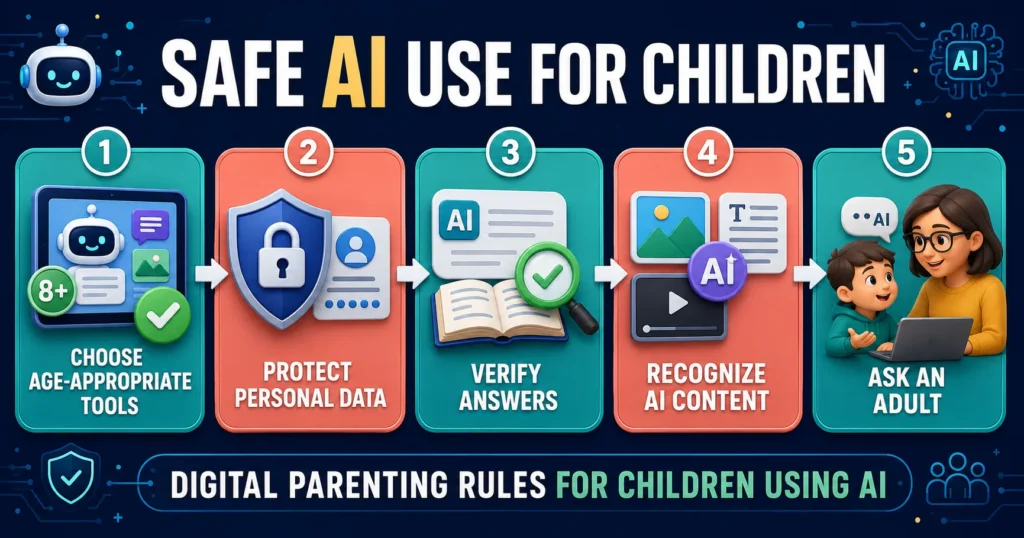
Parents can teach children that AI-generated information may sound confident while still being incorrect. Important facts should be checked against reliable sources.
Children should not enter private information, passwords, home addresses, confidential school material or identifiable personal images into AI tools without appropriate permission.
Parents should also review whether a service is designed for the child’s age and what information it collects. UNICEF recommends discussing privacy, reviewing data practices and teaching children to pause before sharing personal details with AI systems. UNICEF: Parenting in the AI Age
Common Digital Parenting Mistakes
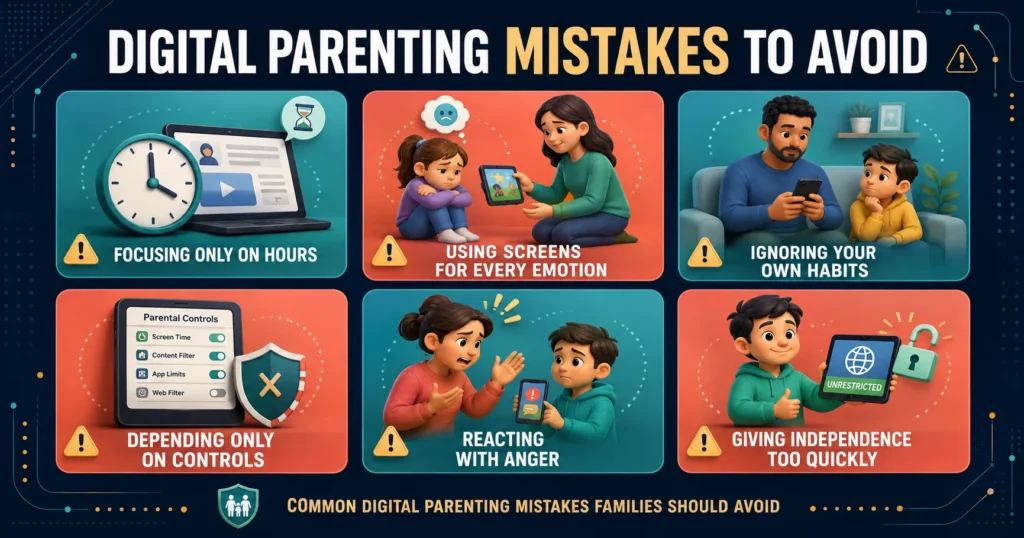
Focusing only on the number of hours
Time is important, but content, context and what media replaces are also important.
Using technology to stop every difficult emotion
A device may solve an immediate problem, but children also need to develop other ways to manage boredom, frustration and sadness.
Setting rules that adults do not follow
Different responsibilities may require different rules, but shared habits make family expectations easier to understand.
Depending completely on parental controls
Controls support safety but cannot replace communication, education and trust.
Reacting with anger when children report a problem
A child who expects immediate punishment may hide future problems. Listen first, secure the child’s safety and then discuss what should change.
Giving independence too quickly
Technical skill is not the same as emotional maturity. Access should expand gradually as children demonstrate sound judgment.
Ignoring children’s privacy
Monitoring should be proportionate to age and risk. Older children should understand what parents monitor and why, except where disclosure would create an immediate safety concern.
A Simple Digital Parenting Checklist
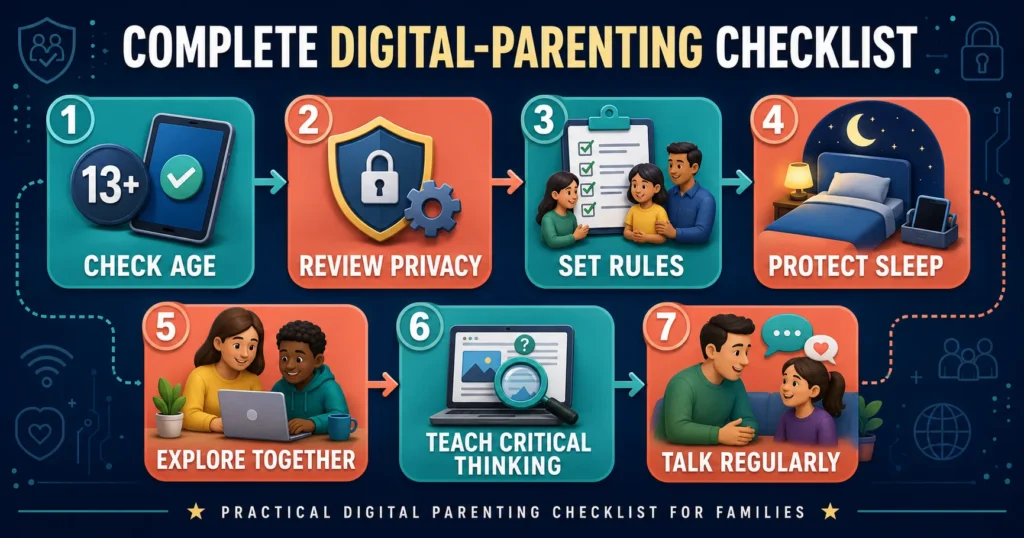
Use this checklist when introducing a new device, game or application:
- Is it suitable for my child’s age and maturity?
- What information does it collect?
- Can strangers contact my child?
- Are accounts private by default?
- Are purchases or subscriptions possible?
- Does it contain advertisements?
- Can my child report or block another user?
- Do we have clear rules for using it?
- Does my child know what to do if something goes wrong?
- Will it interfere with sleep, schoolwork or family routines?
- Have I tried the service myself?
- When will we review this decision?
The aim is not to eliminate every risk. It is to make informed decisions, reduce preventable harm and prepare children to respond when difficulties occur.
Frequently Asked Questions
What is digital parenting in simple words?
Digital parenting means guiding and protecting children while they use phones, tablets, computers, games, social media, AI and the internet.
Why is digital parenting important?
It helps children benefit from technology while reducing risks involving harmful content, privacy, cyberbullying, scams, strangers and unhealthy digital routines.
What are the main elements of digital parenting?
The main elements include healthy technology use, online safety, privacy, digital literacy, clear rules, communication and age-appropriate supervision.
Is digital parenting only about screen time?
No. Screen time is one consideration, but parents should also examine content, context, online contact, privacy and whether media is replacing sleep, learning, movement or relationships.
What is a family media plan?
A family media plan is an agreement that explains when, where and how household members use devices. It may cover bedtime, meals, homework, approved applications, privacy and online communication.
Should parents monitor everything children do online?
The level of supervision should reflect the child’s age, maturity and specific risks. Younger children need closer oversight. Older children generally need increasing privacy alongside clear safety expectations and regular communication.
Are parental-control apps enough to keep children safe?
No. Parental controls can reduce some risks, but they cannot replace open conversations, age-appropriate education and a trusting relationship.
How can parents teach online safety?
Parents can teach children to protect personal information, use privacy settings, avoid unknown contacts, recognize scams, block harmful users and report uncomfortable experiences to a trusted adult.
How should parents introduce children to AI?
Start with supervised, age-appropriate use. Explain that AI can make mistakes, teach children to verify important information and prevent them from entering private details into AI tools.
What should parents do when a child reports an online problem?
Listen calmly, reassure the child, preserve relevant evidence, block and report harmful accounts, and take steps to protect the child. Contact local authorities or child-protection services when there is a threat of immediate harm.
Final Thoughts
So, what is digital parenting?
Digital parenting is the process of guiding children through the opportunities and risks of technology. It combines healthy routines, online safety, privacy, digital literacy, communication and gradually increasing independence.
Successful digital parenting is not based on perfect control. Technology changes too quickly, and children eventually use it without direct adult supervision.
The long-term goal is to help children become thoughtful digital citizens who can protect their privacy, question information, communicate respectfully and recognize when they need support.
Parents can begin with a few practical steps: create clear family rules, review privacy settings, protect sleep and offline activities, explore technology together and keep conversations open.
Children need boundaries, but they also need trust. A calm and continuing relationship is one of the most valuable safety tools a parent can provide.
Editorial Note
This article provides general educational information and does not replace individual medical, psychological or legal advice. Recommendations should be adapted to each child’s age, development, family circumstances and local laws.
Sources
- UNICEF Digital Parenting
- UNICEF: Healthy Digital Habits at Home
- American Academy of Pediatrics: The 5 Cs of Media Use
- HealthyChildren.org: Family Media Plan
- UNICEF Online Privacy Checklist for Parents
- UNICEF: How to Keep Your Child Safe Online
- World Health Organization: Guidelines for Children Under Five